EPG matching for M3U playlists
A guide (EPG) shows on a stream when the tvg-id of that stream in your M3U playlist is exactly the same as an id in the XMLTV guide file.
M3UTool sets those ids for your whole list in one go, keeps them when your provider updates the list, and gives your users one guide link that fits the playlist.
No card needed.
How a player matches an XMLTV guide to an M3U playlist
The playlist and the guide are two separate files. The M3U playlist lists your streams and their addresses. The XMLTV guide lists programmes, each with a start time, filed under an id.
The tvg-id on each line of the playlist is what joins the two:
#EXTM3U
#EXTINF:-1 tvg-id="Stream1.uk" tvg-name="Stream 1" group-title="Group A",Stream 1
https://provider.example/stream/1001
The guide file must carry the same id. Make the two identical, letter for letter: a dot, a space or another case can be enough for a player to miss it. In the XMLTV format each id may appear only once, and it is looked up by the id, not by its place in the file.
When the tvg-id finds nothing, some players try the name next. One widely used open-source player add-on tries three things in order: the tvg-id, then the tvg-name against the names in the guide, then the stream’s own name. The first match wins, so a loose name can pick the wrong guide.
tvg-id, tvg-name and the other attributes
These are the parts of an M3U line that the guide uses:
- tvg-id: the id of the stream in the guide. The match uses it first.
- tvg-name: a name for the stream as the guide writes it. Some players fall back to it.
- tvg-logo: the address of the stream’s logo. The guide file can carry a logo of its own, so the two can differ.
- tvg-shift: moves the guide of one stream by a number of hours, in players that read it.
- x-tvg-url, also written url-tvg: goes once in the first line of the playlist and points to the guide file. Players differ in which name they read, so some tools write both.
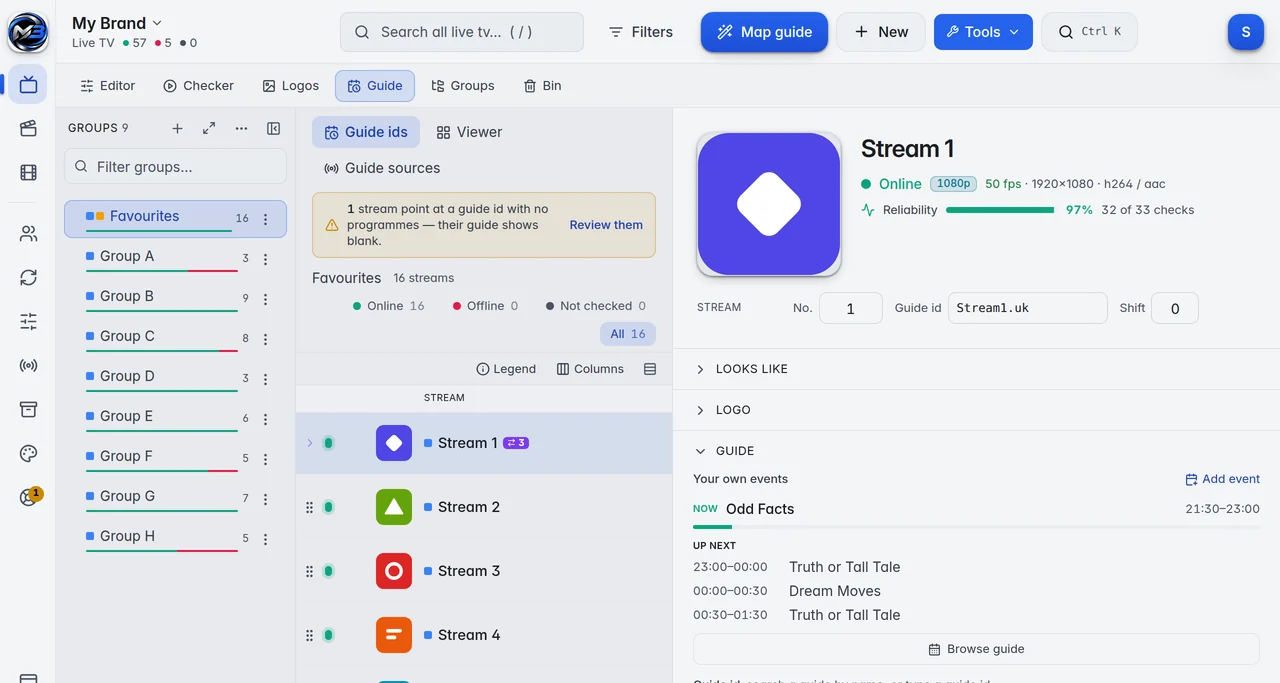
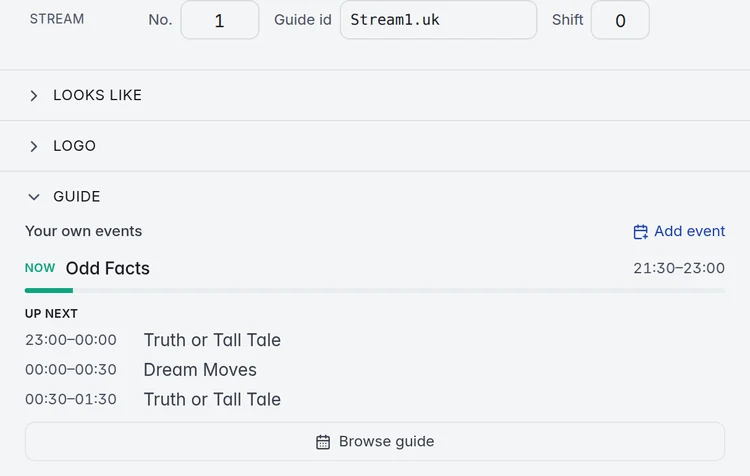
M3UTool calls the tvg-id the Guide id. It is a column in the M3U playlist editor, and you can change it for one stream or for many at once.
Why the EPG is not showing
Almost every blank guide comes down to one of these:
- The ids do not match. The stream has no tvg-id, or one that is spelled a little differently from the guide. This is the most common cause.
- The guide has no programmes for that id from now on. The stream looks mapped, but there is nothing to show.
- The player cannot open the file. Guides are often packed as .xml.gz, and a player that does not unpack gzip shows no guide at all.
- The text encoding is wrong. A guide file in the wrong text encoding can be refused by the player, or show names that no longer match. XMLTV files are normally UTF-8.
- The player has not loaded the new guide yet. Players load the guide on their own schedule, so a change can take a few hours to show. Refreshing the guide in the player loads it straight away.
When the guide is a few hours off
XMLTV times can carry a time zone, for example 20261104183000 +0100. When a time has none, the format says it is UTC. A guide written in local time without its offset then runs early or late by the difference.
If one stream is off and the rest are right, it is often a "+1" or "+2" stream that uses the main stream’s guide. Shift that one stream by whole hours. More in Guide time shift in our guide.
If every stream is off by the same hours, check the time zone of the TV or box first. The guide itself usually carries the right times.
What M3UTool matches for you
M3UTool does the matching on its side, so the player gets a playlist and a guide that already fit:
- Map guide gives your whole list its guide ids in one go. It compares each stream’s name with the guides you use, takes a guide only from the stream’s own country, and leaves a stream alone when it cannot tell which guide is meant.
- Built-in country guides for about 180 countries, plus your own XMLTV links and .xml or .xml.gz files.
- Streams that have an id but no programmes ahead are flagged as No guide data. Give them another guide, a placeholder guide named after the stream, or programmes you write yourself.
- A stream with "+1" or "+2" in its name gets a matching time shift when it is mapped.
- Map guide can run by itself after every provider update, so new streams arrive with their guide.
- A mapping went wrong? Undo puts back the guide ids of every stream the run changed.
Your users get one guide link that carries only the streams of your playlist, with Full, Standard or Lite detail, plain or packed as gzip. In another player they add it next to the M3U link: how to set up a player app. More in How the Guide works in our guide.
How to match an EPG to your M3U playlist
- Add your provider login (server, username and password), an M3U link or an .m3u file as a new playlist.
- In Guide sources, switch on the country guides you need, or add your own XMLTV link or file.
- Run Map guide on the whole list. A big list maps in the background while you keep working.
- Filter for streams that are still unmapped or have no guide data, and match those by hand. Browse guide shows a stream’s schedule before your users see it.
- Give your users the M3U link and the guide link, or the M3UTool app, which loads the guide by itself.
Prices
Personal is 1 user (you) for €10 a year. Pro is 10 to 400 users, from €15 a year. Every plan has every feature, and you can try them all free for 14 days first.
| Users | Price a year | Link checks a day |
|---|---|---|
| Free trial | 14 days free, no card | 5,000 |
| 1 (you) | €10 | 10,000 |
| 10 | €15 | 10,000 |
| 20 | €20 | 10,000 |
| 30 | €25 | 10,000 |
| 50 | €35 | 10,000 |
| 100 | €60 | 20,000 |
| 150 | €80 | 30,000 |
| 250 | €120 | 50,000 |
| 400 | €170 | 100,000 |
Prices are for 2 playlists of up to 1 million streams each. More playlists: 5 for €10, 10 for €25, 20 for €60 more a year. Bigger playlists: 2 million streams for €2, 5 million streams for €5 more a year per playlist. Every plan has every feature. Self-hosted M3UTool comes with plans from €40 a year.
M3UTool includes no content. You bring your own playlists.
Questions
What is a tvg-id?
The id on a stream in an M3U playlist that ties it to its programmes in an XMLTV guide. It has to be the same, letter for letter, as an id in the guide file.
Is url-tvg the same as x-tvg-url?
Yes. Both name the guide file in the first line of a playlist. Players differ in which one they read, so some tools write both.
Can I make an XMLTV file from an M3U playlist?
Not from the playlist alone, because a playlist holds no programmes. M3UTool builds your guide file from the guides you use, with only the streams of your playlist that have a guide id. A stream no guide covers can get a placeholder guide named after it.
Do I need a separate guide link?
With the M3U link, yes. Give your users the guide link as well. The M3UTool apps load the guide by themselves.
How often is the guide updated?
M3UTool reads the country guides again about twice a day. Players then load the guide on their own schedule, so a change can take a few hours to show.
Does M3UTool include streams?
No. M3UTool includes no content. You bring your own playlists.
Try it on your own playlist
14-day free trial, no card. Every feature is on from the first day.
Start free trial