Catch-up
Missed something? Channels with catch-up keep their programmes for a few days, so you can watch them from the start.
TV app and Windows
- Open Catch-up: Choose Catch-up in the menu. It shows only the channels you can replay.
- Open the programmes: Pick a channel and press Right.
- Go back in time: Move up. Programmes you can replay have a clock with an arrow.
- Play: Press OK. It starts from the beginning.
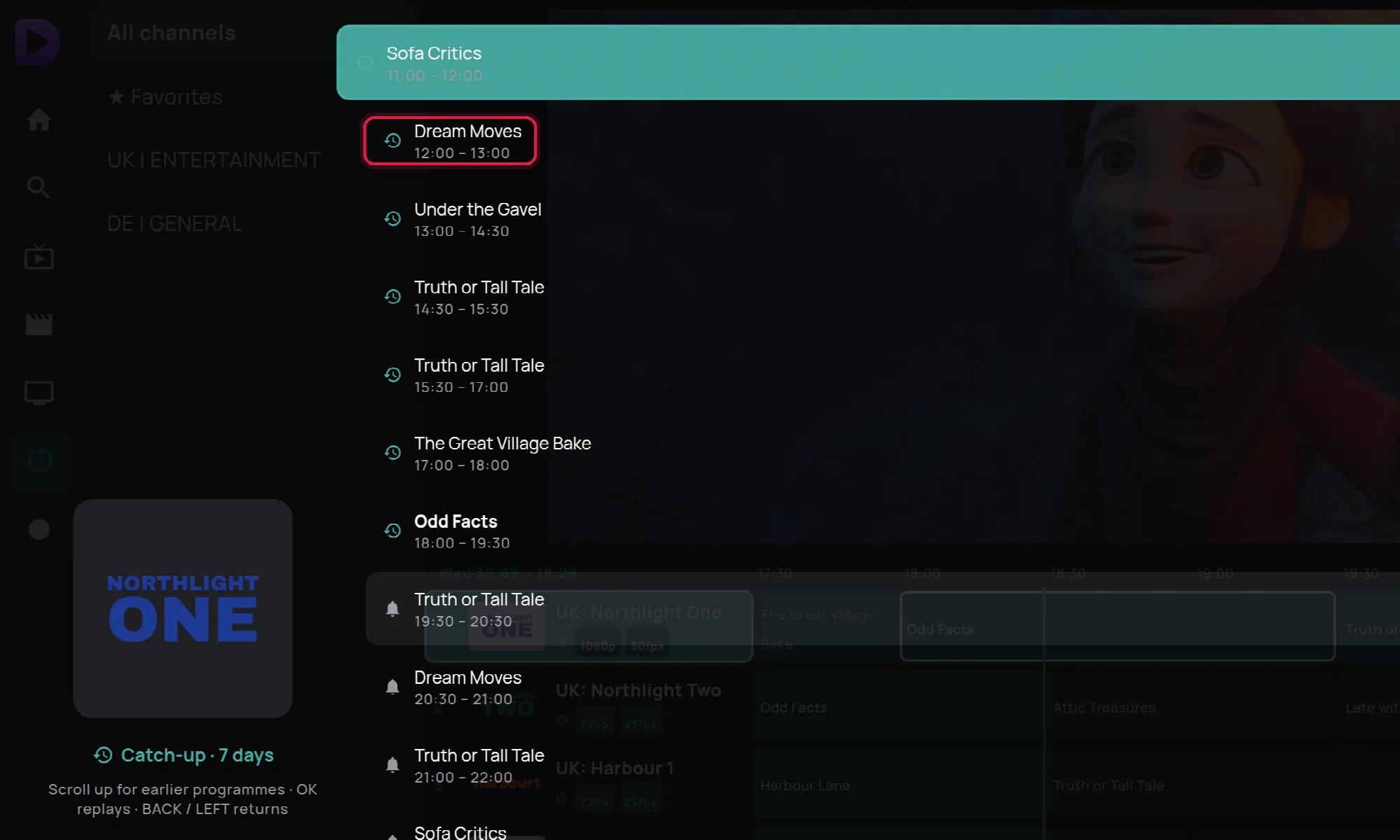
While it plays, Left and Right jump 30 seconds. You can also hold OK on any channel in Live TV and choose Catch-up (replay).
Phone
Hold a channel, pick an earlier programme and tap Watch from the start. The filter Only channels you can replay hides the rest. While watching, tap the guide button at the top: on a channel with catch-up, earlier programmes have a play button.
Web player
Play the channel in Live, then click Catch-up under the picture. Pick the day and the programme.
A programme that won't replay is usually older than the channel keeps, or the channel has no catch-up at all.