Live TV
TV app
- Open Live TV: Choose Live TV in the menu on the left.
- Pick a category: Move up and down the list on the left. ★ Favorites holds your own picks.
- Pick a channel: Move to a channel and press OK. It plays in the small window at the top.
- Full screen: Press OK again.
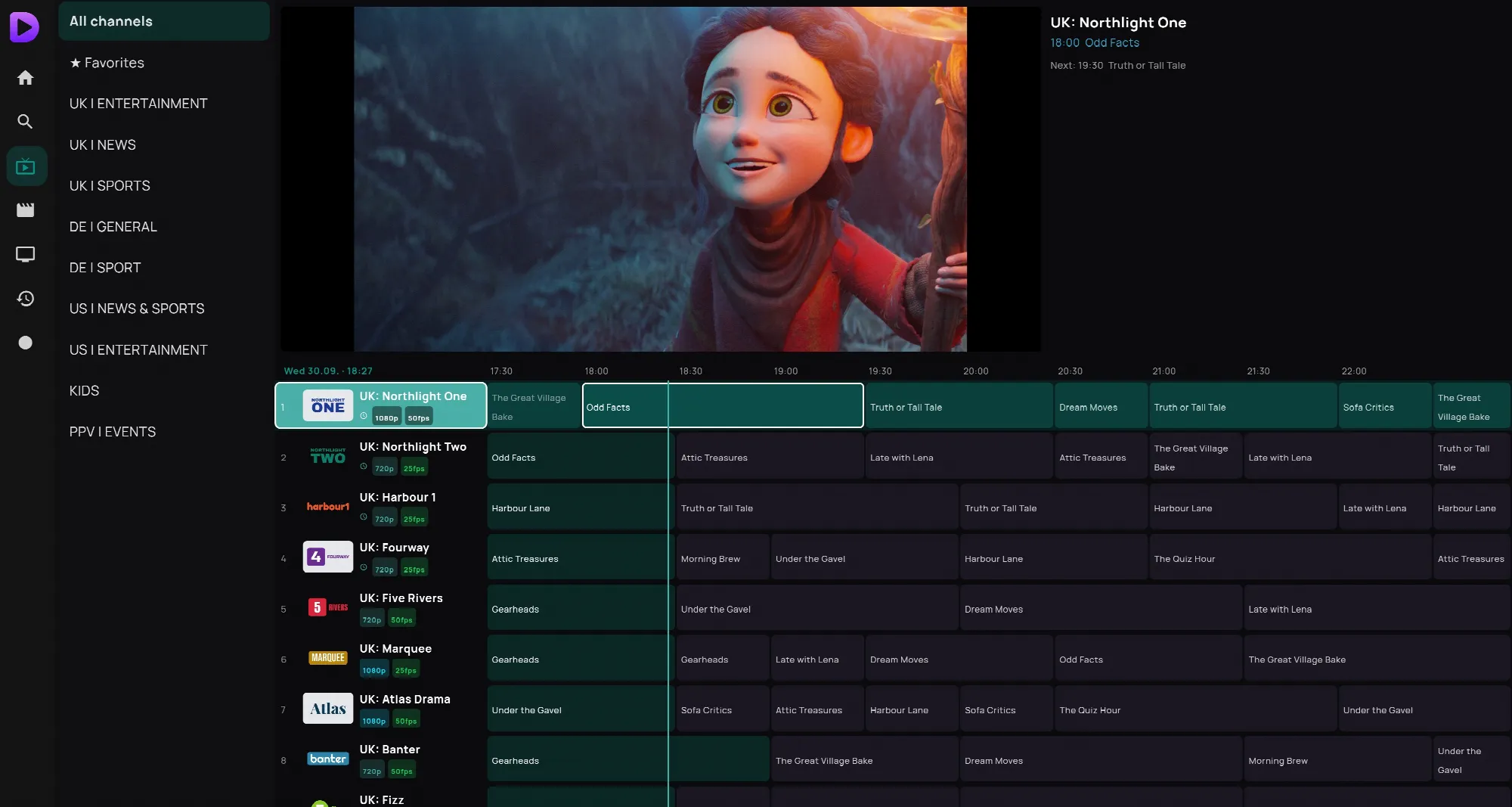
In full screen, Up and Down change channel and the number keys jump to a channel number. Back takes you to the list, and the channel keeps playing in the small window. More keys are on Buttons while watching.
Windows
The same screens as the TV app. Click a channel to watch it in the small window, and click it again (or double-click) for full screen. Page Up and Page Down change channel.
Phone
Tap Live TV, then a channel. To switch while watching, tap Channels.
Web player
Click Live. The channel list opens: pick a category at the top, then a channel. Channels and Guide sit in the bar under the picture.