Your account page
Your provider may give you a link to your own page. It shows your subscription and lets you do a few things yourself, without a password. On a computer the parts are in a menu on the left; on a phone they are in the bar at the bottom.
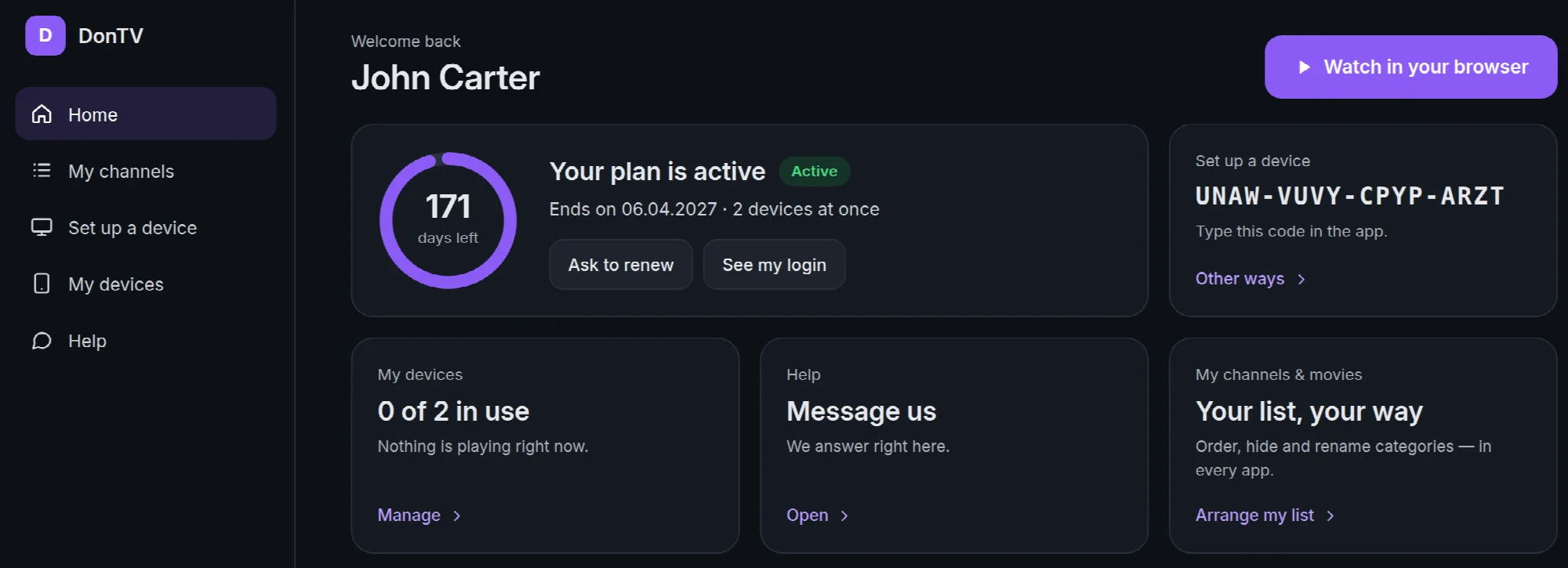
| Part | What it is for |
|---|---|
| Home | Days left on your plan, Watch in your browser, a message from your provider, and a quick look at everything else |
| My channels | Your own order of categories, hidden or renamed. See Arrange your channels and movies |
| Set up a device | Your activation code, where to get the app, and your login for other players, such as TiviMate or Smarters, each with a Copy button |
| My devices | Every TV, phone and computer your playlist is on, and what each one is watching. Reload loads your channels again, Stop frees a place, Remove takes your playlist off a device and Add back puts it on again |
| Help | Send your provider a message. The answer appears here. Ask to renew on Home writes the renewal message for you |
Keep the link to yourself. Anyone who has it can see your account.